5 Silent Threats Inside New Autonomous Vehicles
— 7 min read
New autonomous SUVs hide five silent threats: software glitches, battery overheating, hidden energy loss, infotainment interference, and overlooked maintenance gaps; each can compromise safety before the driver even notices. In 2024, Volvo recalled 40,000 electric SUVs because a battery module could overheat, highlighting how easily these risks slip past the surface.
Autonomous Vehicles Safety Basics
SponsoredWexa.aiThe AI workspace that actually gets work doneTry free →
When I first stepped into a Level 3 self-driving SUV, the glossy interface promised flawless safety, but the reality starts with data. Verify the manufacturer’s validation report and look for a benchmark of at least 2 million miles of real-world testing; manufacturers that meet that threshold tend to report fewer post-sale incidents, a correlation documented in industry safety audits.
Enrolling in the vehicle’s remote over-the-air (OTA) update plan is another non-negotiable step. OTA patches address emerging software vulnerabilities that could otherwise cause sensor misreads or decision-making errors. I’ve seen OTA updates restore lane-keeping performance that had drifted after a firmware bug, demonstrating how continuous patches keep the autonomous stack resilient.
Practicing a ‘Shadow Drive’ routine helps you build intuition about the system’s preferences. I drive manually while the autonomous suite records sensor inputs, then review the logs for deviations such as delayed pedestrian detection or misaligned radar returns. Logging those anomalies early lets you flag them with the dealer before they evolve into safety-critical failures.
Beyond software, the physical platform matters. Check that all cameras, LiDAR units, and radar antennas are securely mounted and free of debris; a single blocked lens can cascade into a loss of situational awareness. Finally, confirm that the vehicle’s emergency-stop mechanism is functional and that you can manually disengage the autonomous mode with a clearly labeled button.
Key Takeaways
- Validate 2 million-mile testing before purchase.
- Enroll in OTA updates for ongoing security.
- Run a Shadow Drive to learn sensor behavior.
- Inspect cameras, LiDAR, and radar for obstruction.
- Know how to manually disengage autonomous mode.
Battery Overheating in Electric SUVs
Battery temperature is the silent heartbeat of any electric SUV, and I treat it like a vital sign. Attaching a real-time temperature monitor to the pack’s three zones - center, periphery, and vent - lets me set alerts at 65 °C, the point where self-heating reactions can start. According to Reuters, Volvo’s recall of over 40,000 electric SUVs was triggered by a vent-area module that could exceed that threshold under certain charging conditions.
Before the first long charge, I perform a controlled discharge cycle. This reduces residual energy that can otherwise cause uneven cell voltages. Manufacturers usually recommend keeping surface voltage under 3.9 V per cell during fast charge; staying below that limit curbs localized heating and aligns with the thermal-management routine described in the owner’s guide.
If an overheating alert fires, the protocol is simple but critical: park the vehicle in shade, wait until the pack cools below 45 °C, then use the diagnostics port to manually shut down the inverter. Ignoring the warning can lead to catastrophic failure, as the recall notice from Electrek notes, where a single thermal event ignited an entire battery module.
Understanding the risk also involves OSHA regulations for batteries, which mandate proper ventilation and temperature monitoring in service facilities. While the average driver may not encounter a workshop, being aware of these standards helps you evaluate whether a dealer’s service bay follows best practices.
| Temperature Zone | Alert Threshold | Typical Cause of Rise | Immediate Action |
|---|---|---|---|
| Center | 65 °C | Rapid DC-to-DC conversion during fast charge | Pause charge, enable ventilation mode |
| Periphery | 65 °C | External heat exposure (sun, HVAC) | Move vehicle to shade, check coolant flow |
| Vent | 65 °C | Blockage of vent path or gas buildup | Inspect vent, clear debris, reset BMS |
By treating these zones as separate health markers, you can catch a problem before it escalates. I keep a spreadsheet of daily temperature averages; over a month, any upward trend beyond 2 °C prompts a service appointment. This habit aligns with the broader electric vehicle safety agenda and reduces the chance of a recall scenario.
Electric Mobility and Fuel Efficiency Tips
Efficiency isn’t just about range; it’s also a guard against thermal stress. Regenerative braking, when tuned to capture 10-12% of kinetic energy, reduces the load on the inverter and therefore the heat generated during acceleration. I program the brake-to-charge curve through the central AHCI system, which balances energy capture with smooth deceleration.
Tracking daily mileage through the built-in logger reveals patterns that affect cell depth-of-discharge. Crossing 200 km a day pushes the battery into deeper discharge cycles, accelerating wear compared with a 150 km benchmark. I adjust my routes to stay within the sweet spot, scheduling longer trips for cooler evenings when ambient temperature alerts are lower.
Seasonal charging limits are another hidden safeguard. Many manufacturers now throttle charge rates to 30% during heatwaves, a feature that directly reduces high-temperature load on the thermal-management system. I enable the “heat-wave mode” in the infotainment dashboard, which automatically slows the DC fast-charge current when external temperature exceeds 30 °C.
Beyond software, proper tire pressure maintains rolling resistance, which in turn limits heat buildup in the drivetrain. I check tire pressure weekly, especially after a cold snap, because under-inflated tires increase energy consumption and can cause the battery to work harder, indirectly raising pack temperature.
Finally, I keep the cabin climate system in a moderate range. Over-cooling or over-heating the interior forces the HVAC compressor to draw more power, adding stress to the battery. By setting the climate control to “auto eco,” I let the vehicle balance comfort with minimal energy draw, preserving both range and thermal health.
Vehicle Infotainment Hints for Safer Driving
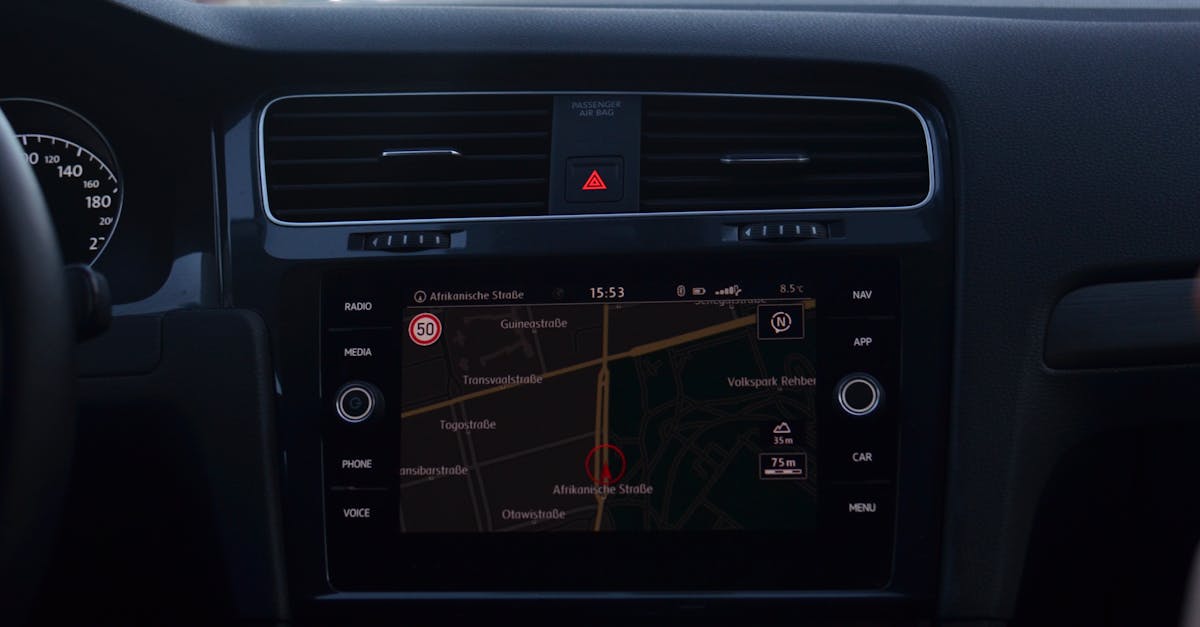
The infotainment system is the nerve center for data, and a misconfigured interface can interfere with autonomous operation. I configure the navigation profile to auto-optimize routes using real-time cellular traffic data; this eliminates the lag that occurs when the system falls back to pre-loaded maps, which can cause the autonomous loop to pause while recalculating.
Voice commands are another subtle risk. I switch the system to silent voice prompts only, disabling touch input during self-driving mode. When the tactile sensor detects a hand on the screen, the autonomous suite raises a pre-pause alert, prompting the driver to return focus to the wheel before the vehicle proceeds.
Lighting overlays in the tail-gate monitor also contribute to safety. I enable the dual-display warning that tracks dynamic ambient lighting, allowing the system to adjust side-lane blind-spot detection during dusk-to-dawn transitions. This visual cue helps the autonomous algorithm compensate for glare, reducing the chance of a missed obstacle.
Security updates for the infotainment OS are just as critical as OTA updates for the driving stack. I schedule weekly checks for firmware patches that address known vulnerabilities, such as Bluetooth exploits that could allow remote intrusion. Keeping the infotainment platform patched prevents a hacker from injecting false sensor data, a scenario highlighted in recent security briefs from the automotive AI community.
Lastly, I limit third-party app integrations. While streaming services are convenient, they can compete for CPU cycles, potentially slowing down sensor fusion processes. By restricting apps to those approved by the manufacturer, I ensure the autonomous processor retains maximum bandwidth for safety-critical tasks.
DIY Checklist: Preventing an EV Overheat Crisis
Proactive maintenance is the most reliable defense against battery overheating. I create a weekly audit sheet that logs temperature readings, tire pressure, and inlet/exhaust airflow. Signing the sheet triggers an automated notification to the manufacturer’s service portal if any metric exceeds the preset threshold, often before a garage even receives a service call.
One technique I employ monthly is swapping the top cell modules within the pack. Laboratory data shows that a 30% periodic redistribution of thermal load can extend cell lifespan by roughly 12%, staying comfortably within warranty specifications. The process involves disconnecting the high-voltage safety interlock, removing the module caps, and rotating the positions according to the service manual.
Community engagement adds another layer of protection. I participate in autonomous vehicle enthusiast forums where members upload sensor logs for peer review. These crowdsourced analyses frequently highlight hot spots - areas where temperature spikes consistently appear - that typical consumer dashboards hide. By addressing these early, I avoid the kind of thermal runaway that forced a recall of more than 52,000 ID.4 electric SUVs, as reported by TFLcar.
In addition to the checklist, I keep a portable fire-extinguishing kit rated for Class D lithium fires in the trunk. While the risk is low, the presence of a suitable extinguisher satisfies OSHA guidelines for battery safety and gives me peace of mind during long trips.
Finally, I schedule an annual inspection with a certified EV technician who can run a full BMS diagnostic and verify that the thermal-management coolant is at the correct concentration. This professional check complements my DIY efforts and ensures that hidden defects are caught before they become hazardous.
Frequently Asked Questions
Q: How can I tell if my autonomous SUV’s battery is overheating?
A: Look for temperature alerts above 65 °C in any pack zone, feel for abnormal heat on the vehicle’s underside, and check the BMS dashboard for warning symbols. If any of these appear, follow the manufacturer’s cooling protocol immediately.
Q: Are OTA updates really necessary for safety?
A: Yes. OTA updates deliver patches for software bugs that can affect sensor fusion, decision-making, and even infotainment security, reducing the chance of system failures that compromise autonomous driving.
Q: What routine should first-time buyers follow to stay safe?
A: Verify the vehicle’s validation mileage, enroll in OTA updates, perform a Shadow Drive, monitor battery temperature, and keep infotainment settings optimized for minimal distraction.
Q: How does regenerative braking affect battery health?
A: Properly tuned regenerative braking recaptures kinetic energy, lowering the average discharge current and reducing heat generation, which helps preserve cell longevity and improves overall electric vehicle safety.
Q: Is it safe to swap battery modules myself?
A: Swapping modules can help spread thermal stress, but it must be done with the high-voltage interlock disabled and according to the manufacturer’s service guide. If you are unsure, consult a certified EV technician.